Skip to content

AI-powered Google meet transcript generator

Upload yesterday's standup, brainstorm, or all-hands and get a speaker-labeled transcript ready to paste into Docs and share with anyone who missed it.

Interviews.pdf

How our Google Meet transcript generator works

Google Meet already saves your recording to Drive. We turn it into a recap your team will read, in three steps.

1

Upload your Google Meet recording

Grab the MP4 from the Meet Recordings folder in your Google Drive and drop it in. We also accept MP3, WAV, M4A, FLAC, OGG, MOV, and other common formats.

2

Edit your transcript instantly

Scribe labels up to 32 speakers with word-level timestamps. Fix a name, merge a rambling segment, or trim the small talk before the recap goes out.

3

Export in any format you need

Export as DOCX and drop it straight into a Google Doc for comments, or send TXT, PDF, or JSON wherever your team keeps its notes. Anyone who missed the call reads the recap in minutes.

Not just transcription. Meeting intelligence

We turn recorded calls into structured, searchable notes, so when someone asks who decided what three sprints ago, the answer is one search away.

#1 Accuracy

Crosstalk, laptop mics, and speakerphone audio still produce editable text. Scribe leads independent transcription benchmarks.

Scribe beats all competing models in accuracy benchmarks

Edit the transcripts

Correct a mislabeled speaker or tighten a rambling answer directly in the editor. The recap that reaches your team is the version you approved.

Amidst the outer atmosphere of the planet Aurora, the sky shimmered with fractured light, as though the planet's veil were made of stained glass suspended in space.
Sensors pulsed with irregular patterns, the kind no algorithm could quite reconcile.
Amidst the outer atmosphere of the planet Aurora, the sky shimmered with fractured light, as though the planet's veil were made of stained glass suspended in space.

90+ Languages and accents

Distributed teams meet in many languages, and Scribe transcribes them all, from Portuguese to Tagalog, without you selecting one first.

Japanese
Hindi
Polish
Swedish
Mandarin
Vietnamese
French

Wide variety of formats

Upload the MP4 that Google Meet records, or audio in MP3, WAV, M4A, FLAC, or OGG. Export to TXT, DOCX, PDF, JSON, SRT, VTT, or HTML.

Audio Event Tagging

Scribe marks coughing and other non-speech moments, so the transcript reads the way the meeting actually felt.

Speaker Timestamps

We label up to 32 speakers and timestamp every word, so you will jump straight to the moment a decision was made.

Google Meet Transcript Export Formats

Text file icon labeled "board_call.txt" on a textured background.

Transcribe Google Meet to TXT

Document icon with the filename "interview.docx" on a textured background.

Transcribe Google Meet to DOCX

A document icon labeled "meeting.pdf" on a textured background.

Transcribe Google Meet to PDF

Icon representing a JSON file named "playlist.json" on a textured background.

Transcribe Google Meet to JSON

File icon with HTML code and filename "video_ad.html" on a textured background.

Transcribe Google Meet to HTML

SRT file icon labeled "film.srt" on a textured gradient background.

Transcribe Google Meet to SRT

Audio file icon labeled "movie.avid" on a red-orange gradient background.

Transcribe Google Meet to AVID

Closed caption file icon labeled "series.vtt" on a textured background.

Transcribe Google Meet to VTT

Millions of words transcribed, and counting

  • I use ElevenLabs primarily for transcribing audio messages, and I find its accuracy to be a major highlight. This precision allows me to analyze students' reading fluency effectively, even when the speaker is a young student still learning to read, which is crucial for understanding each student's progress.
    G2 logo

    Pedro A.

    Head of technology

  • Perfect for transcribing interviews - and the voice quality is amazing when preparing for a speech.
    G2 logo

    Izabela M.

    Customer Experience Researcher

  • Remarkable inference speed of the Scribe v2 model by ElevenLabs, delivering near real-time latency on transcription requests, significantly faster than other models we've tried.
    G2 logo

    Vedaswaroop I.

    Founder

Turn audio to text today, starting at no cost

End-to-end audio Productions

Add human review to editing so your message always lands.
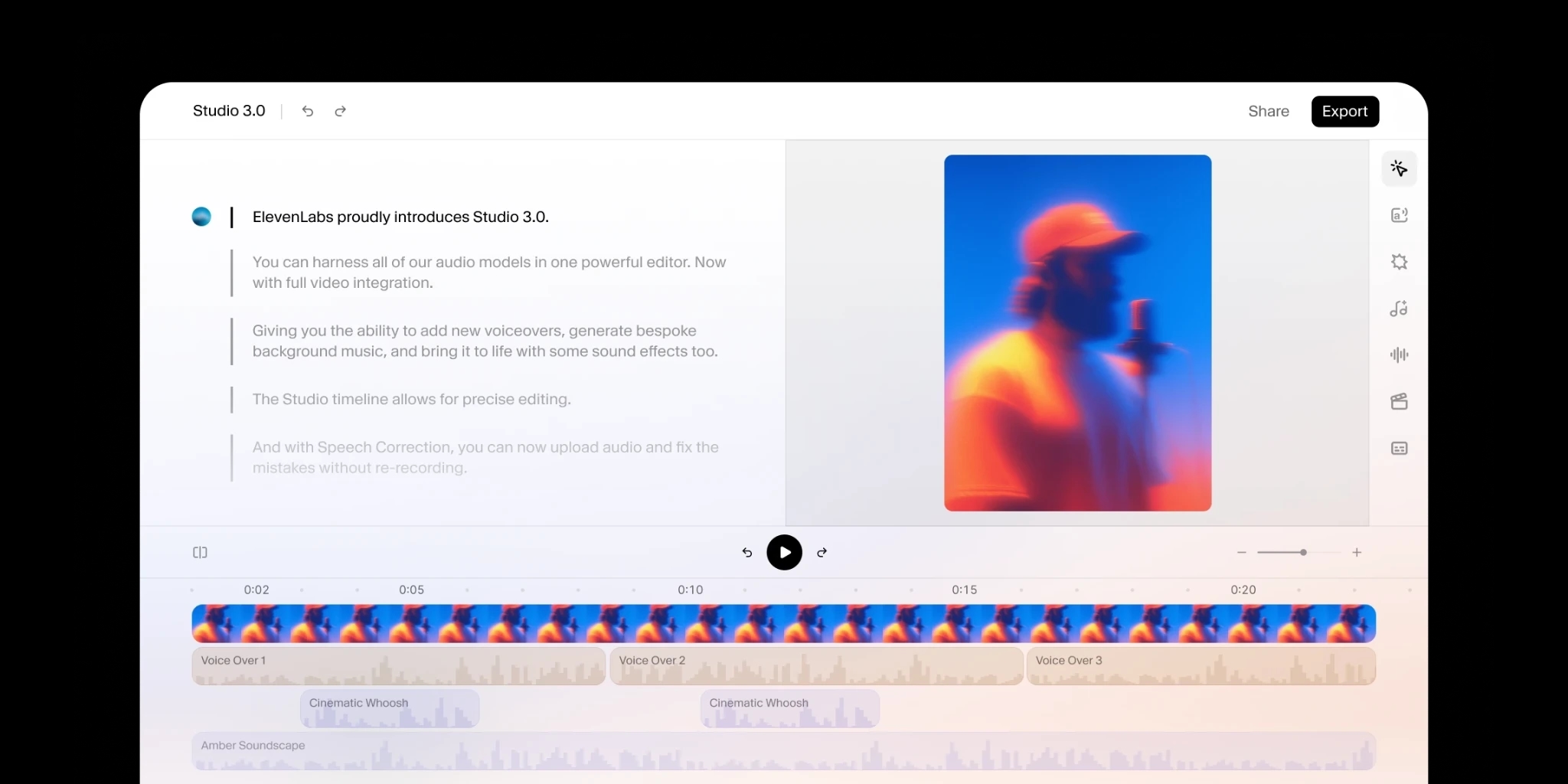
  • Synced captions and subtitles
  • Human edited translations
  • Predictable pricing
ElevenLabs Studio Capabilities

Audio to Text API and SDK

Integrate transcription directly into your product with a few lines of code.
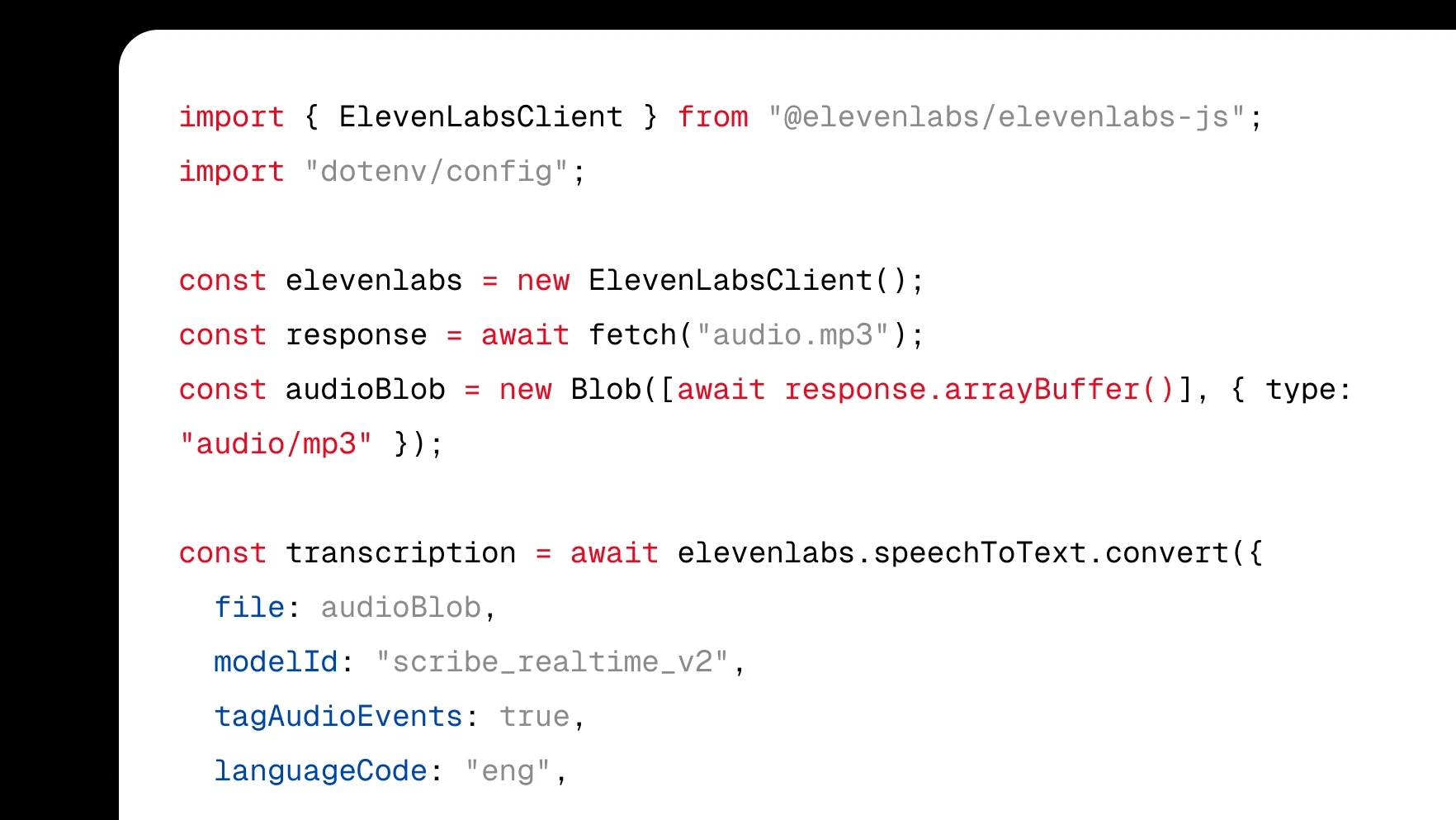
  • Native SDKs for web and mobile
  • WebSocket and REST APIs
  • Community of 100k+ developers
Scribe API Graphic

Get started on the web

Turn audio to text using our ElevenCreative web platform.
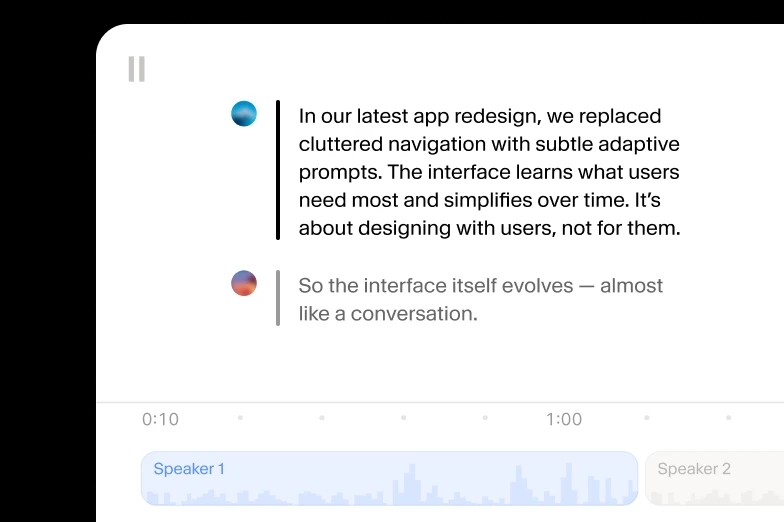
  • 10k credits included, every month
  • 90+ languages and accents
  • Flexible pricing for larger volumes
Use TTS in the ElevenLabs Studio

Frequently asked questions

Create with the highest quality AI Audio