Transcribe WAV to TXT
Upload studio sessions, broadcast masters, or field recordings, and Scribe converts audio details into a precise, speaker-labeled transcript.

Studio recordings.pdf
4.7 stars
50k+ ratings
1m+ users
Trust ElevenLabs
90+
Languages
Upload uncompressed audio and Scribe builds the transcript from the full signal, not a lossy copy. You get attributed, timestamped text ready for the edit.
Drag in a file from your session folder, field recorder card, or cloud storage. Long, high-resolution WAV files upload without conversion or splitting.
Correct names and technical terms, merge or split segments, and reassign speakers in the editor. Each word keeps its timestamp, so edits stay locked to the recording.
Download TXT, DOCX, or PDF for scripts and review copies, or SRT, VTT, and JSON when captions and logs need precise timing.
Uncompressed source audio deserves transcription that keeps up. Scribe reads the detail in your lossless files and returns structured, attributed text.
Industry-leading transcription accuracy, delivering clean, editable text even in challenging audio conditions and across diverse accents and dialects.
Fix terminology, split takes, and reassign voices without leaving the transcript. Timing data follows every change.


International broadcasts and multilingual field recordings transcribe accurately across 90+ languages, with the language detected automatically on upload.
Upload WAV alongside MP3, FLAC, OGG, M4A, MP4, and MOV. Export to TXT, DOCX, PDF, JSON, SRT, VTT, or HTML.
Scribe records applause, coughing, and other non-speech events in the transcript, so the text reflects everything your microphones picked up.
Scribe labels up to 32 speakers and timestamps across the transcript, turning a panel, session, or control-room feed into an ordered, attributed record.

Transcribe WAV to TXT
Transcribe WAV to DOCX
Transcribe WAV to PDF
Transcribe WAV to JSON
Transcribe WAV to HTML
Transcribe WAV to SRT
Transcribe WAV to AVID
Transcribe WAV to VTT
“I use ElevenLabs primarily for transcribing audio messages, and I find its accuracy to be a major highlight. This precision allows me to analyze students' reading fluency effectively, even when the speaker is a young student still learning to read, which is crucial for understanding each student's progress.”

Pedro A.
Head of technology
“Perfect for transcribing interviews - and the voice quality is amazing when preparing for a speech.”

Izabela M.
Customer Experience Researcher
“Remarkable inference speed of the Scribe v2 model by ElevenLabs, delivering near real-time latency on transcription requests, significantly faster than other models we've tried.”

Vedaswaroop I.
Founder
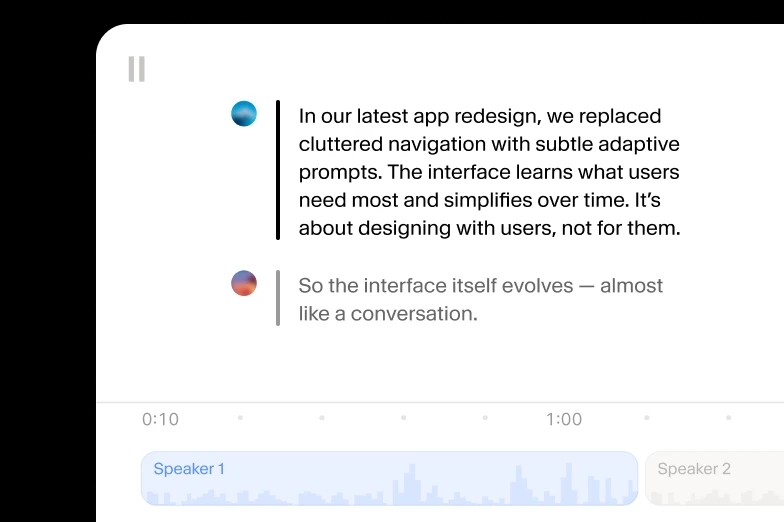
Add human review to editing so your message always lands.
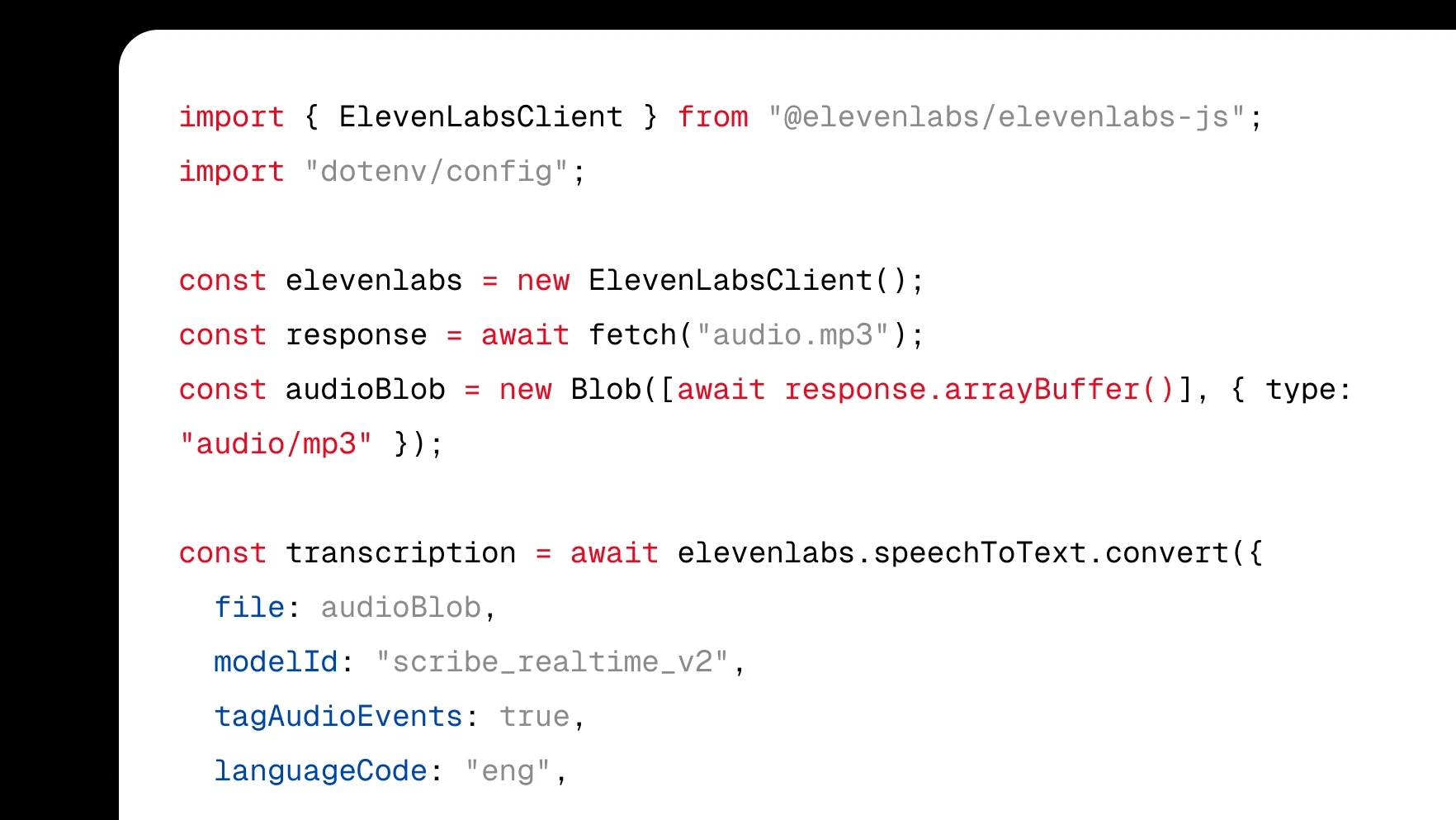
Integrate transcription directly into your product with a few lines of code.
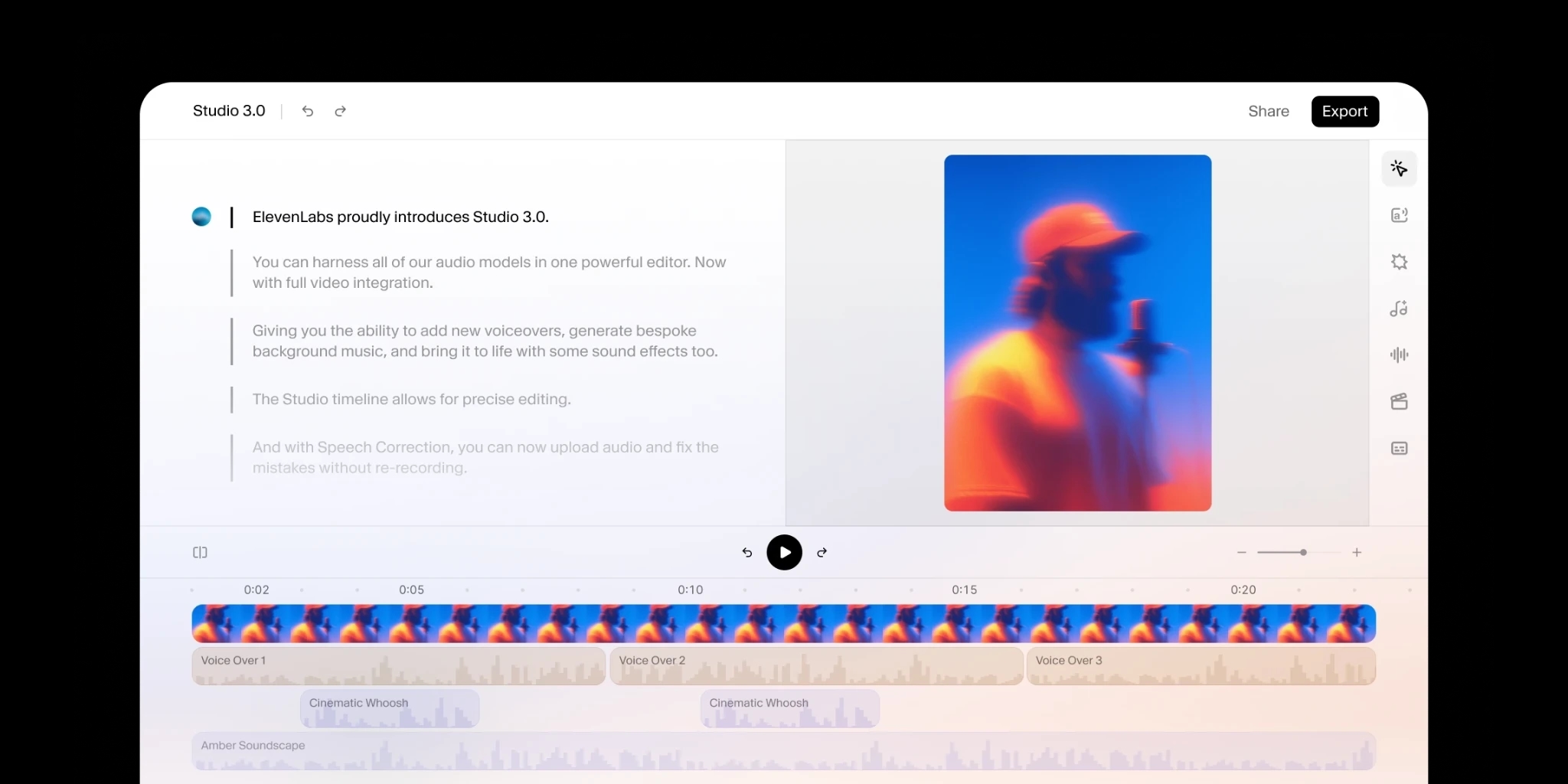
Turn audio to text using our ElevenCreative web platform.
We transcribe WAV alongside MP3, M4A, AAC, FLAC, and OGG, plus video formats including MP4, MOV, AVI, and MKV. Upload straight from your device or cloud storage with no conversion step. When a lossless master exists, upload the WAV itself: the uncompressed signal gives Scribe the cleanest input and the most accurate transcript.
WAV transcripts are among the most accurate, because lossless audio carries none of the artifacts compression introduces. Scribe outperforms competing models in accuracy benchmarks and holds that precision through quiet speakers, crosstalk, and room noise. Every transcript arrives with speaker labels, word-level timestamps, and audio event tags across 90+ languages.
Click any word in the editor to correct names, technical terms, or misheard lines from a session. Merge takes, separate overlapping voices, and reassign speaker labels directly in the transcript, and each word keeps its timestamp, so your edits stay aligned with the original WAV recording.
Download SRT or VTT for captions and subtitles, JSON when your logging tools need word-level timing, and TXT, DOCX, or PDF for scripts, review copies, and archives. HTML and Avid-compatible exports round out the list. Every format carries the same timestamps, so the text lines up with your master wherever you take it.
Scribe transcribes WAV audio in 90+ languages and detects the language automatically on upload, so international sessions and multilingual field recordings need no manual selection. Accuracy extends to many undeserved languages as well as widely spoken ones, and speaker labels and timestamps work the same in every language.
