Speech to Text

A guide on how to transcribe audio with ElevenLabs
Text to Speech product feature

Overview

With speech to text, you can transcribe spoken audio into text with state of the art accuracy. With automatic language detection, you can transcribe audio in a multitude of languages.

Creating a transcript

1

Upload audio

In the ElevenLabs dashboard, navigate to the Speech to Text page and click the “Transcribe files” button. From the modal, you can upload an audio or video file to transcribe.
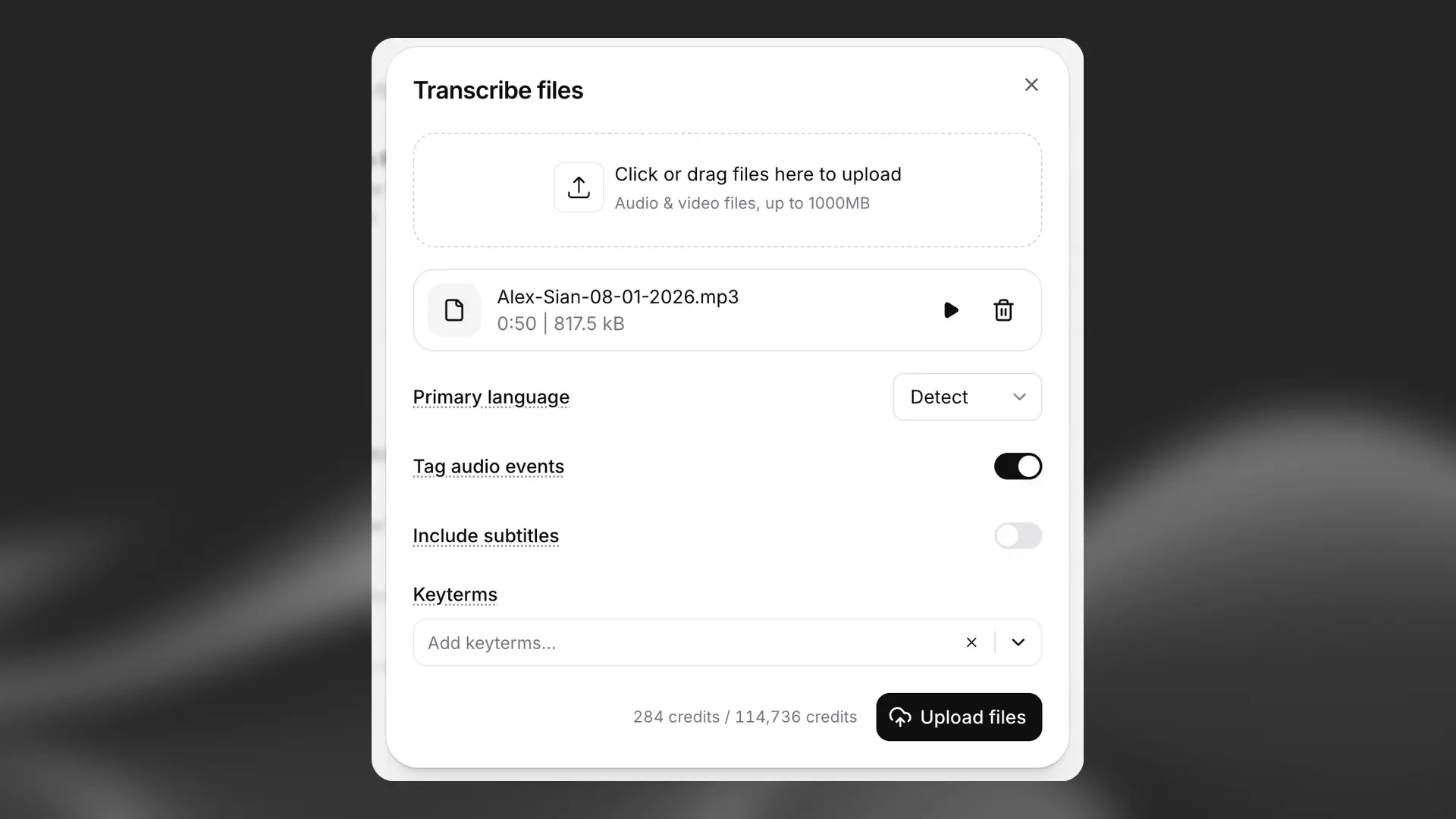
Speech to Text upload

2

Select options

  • Select the primary language of the audio if you know it. You can leave this set to “Detect”, and any languages within the audio will be automatically detected.

  • Choose whether you wish to tag audio events like laughter or applause using the “Tag audio events” toggle.

  • Keyterm prompting allows you to add up to 1000 words or phrases to bias the model towards transcribing them. This is useful for transcribing specific words or sentences that are not common in the audio, such as product names, names, or other specific terms.

When you’re ready, click the “Upload files” button to submit.

3

View results

Click on the name of the audio file you uploaded in the center pane to view the results. You can click on a word to start a playback of the audio at that point.

Click the “Export” button in the top right to download the results in a variety of formats.

Transcript Editor

Once you’ve created a transcript, you can edit it in our Transcript Editor. Learn more about it in this guide.

FAQ

Yes, the tool supports uploading both audio and video files. The maximum file size for either is 3GB.

Renaming speakers

Yes, you can rename speakers by clicking the “edit” button next to the “Speakers” label.

Speech to Text converts spoken audio into written text. At ElevenLabs, our Speech to Text model is Scribe. It allows you to accurately transcribe speech in over 90 languages, making it easy to turn audio into readable, searchable text.

Key features of Scribe

  • Industry-leading accuracy, with 98% accuracy in major languages such as English, French, Italian, Portuguese, Spanish, and German.
  • Precise word-level timestamps, so you can see exactly when each word is spoken.
  • Smart speaker diarization, which automatically identifies and separates different speakers.
  • Dynamic audio tagging to detect non-speech sounds.
  • Support for up to 32 speakers while maintaining high accuracy.

What’s new in Scribe v2

Scribe v2 builds on the core model with additional capabilities designed for more demanding use cases.

  • Keyterm prompting. You can provide up to 100 words or phrases to guide the model toward correctly transcribing important terms. Use of keyterm prompting increases the cost by 20%.
  • Entity detection. You can choose specific categories of information to detect in the transcript, such as credit card numbers, names, or medical conditions. Entity detection is only available via API, and increases the cost by 30%
  • Smart multi-language support. You can submit audio containing multiple languages, and Scribe v2 will automatically detect and transcribe each one correctly.
  • Improved stability. Scribe v2 handles pauses, changes in tone, and long silences without breaking or losing accuracy.

Which version should you use?

We recommend Scribe v2 when high-accuracy transcription is required. It’s available through our website and API. When using Speech to Text via our website, Scribe v2 is the default model. 

For real-time use cases, we recommend Scribe v2 Realtime, available through ElevenAgents and via API

For more details, see our Speech to Text documentation.

Speech to Text supports over 90 languages. 

For a full breakdown of which languages are supported, please see the language support section of our Speech to Text documentation.

The concurrency limit (concurrent requests running in parallel) depends on your subscription and whether you’re using Speech to Text or Realtime Speech to Text.

Below are the current concurrency rates for Speech to Text.

PlanSpeech to Text Concurrency LimitRealtime Speech to Text Concurrency Limit
Free86
Starter129
Creator2015
Pro4030
Scale6045
Business6045
EnterpriseElevatedElevated

If you require a higher number of concurrent requests, please reach out to our Enterprise Department directly via this webpage. We will be happy to discuss a tailor-made plan that meets your specific requirements.

No results